 MENTAL PENGUIN

New Player Guide
Three short guides to get you from the main menu to your first victory. They won't tell you how to win, just what to press and where to look.
Your First Game 🏰
This is the first of three short guides for new players. It won't tell you how to win. It just gets you from the menu to your first End Turn without wondering what to press.
1. Setting up
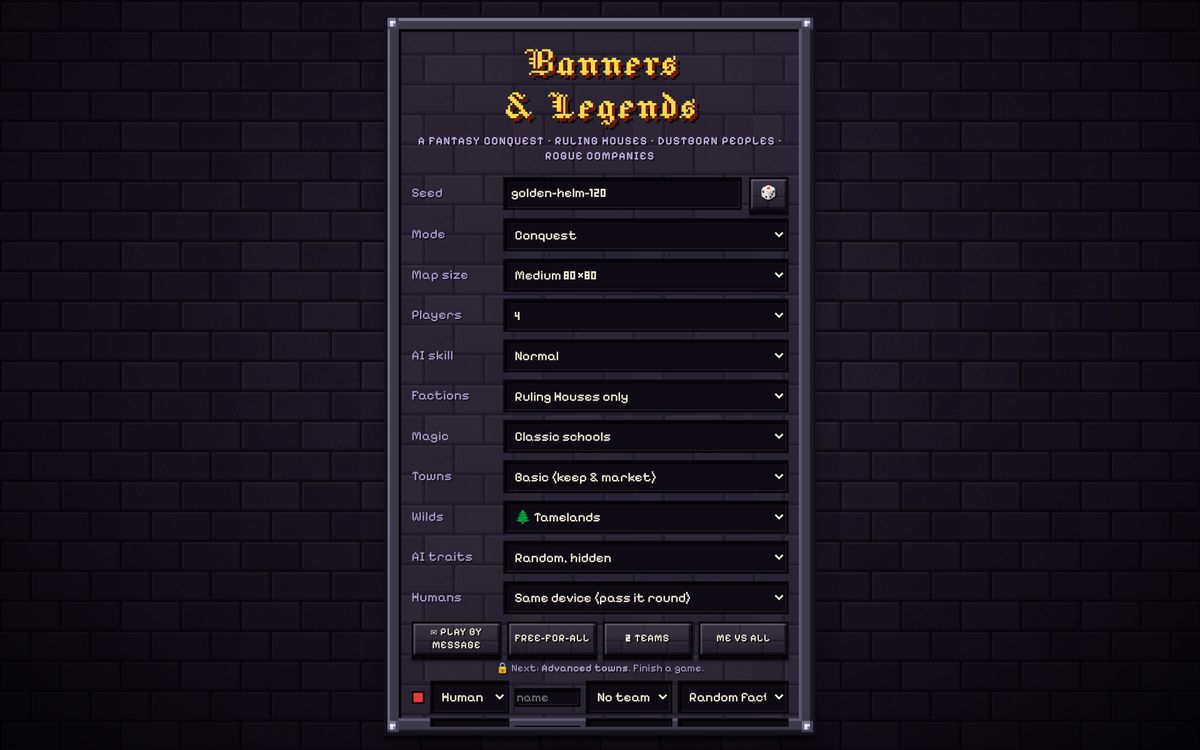
For your first game, keep it simple. On the main menu:
- Mode: Conquest
- Map size: Small
- AI skill: Easy or Normal
Then press start. Every seed makes a different world. Tap 🎲 next to it for a new one whenever you like, or type a word and see what world it makes. The same seed always gives the same world, so you can share a good one with a friend.
2. Moving your heroes
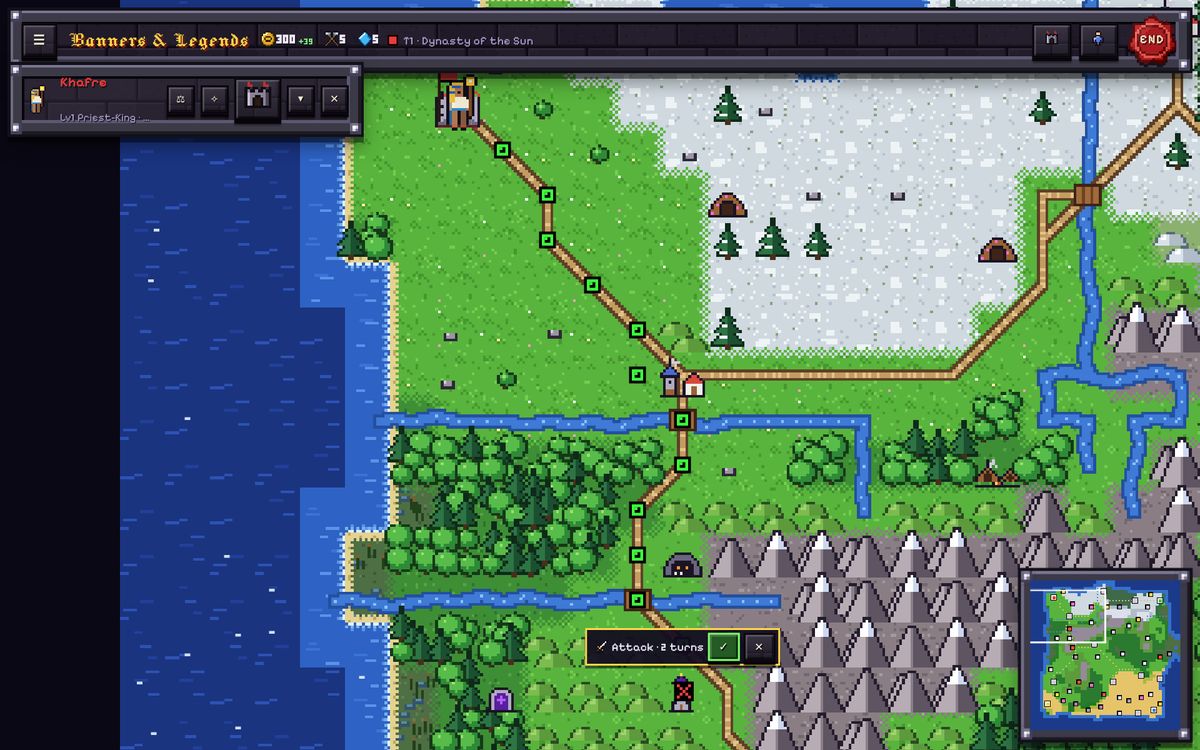
Heroes lead your armies. Tap a hero, then tap where you want to go, and the game draws the route:
- Green: you'll get there this turn
- Gold: it'll take more than one turn
Tap the same spot again to march. The 👤 button jumps between your heroes, so nobody gets forgotten.
3. Towns and castles
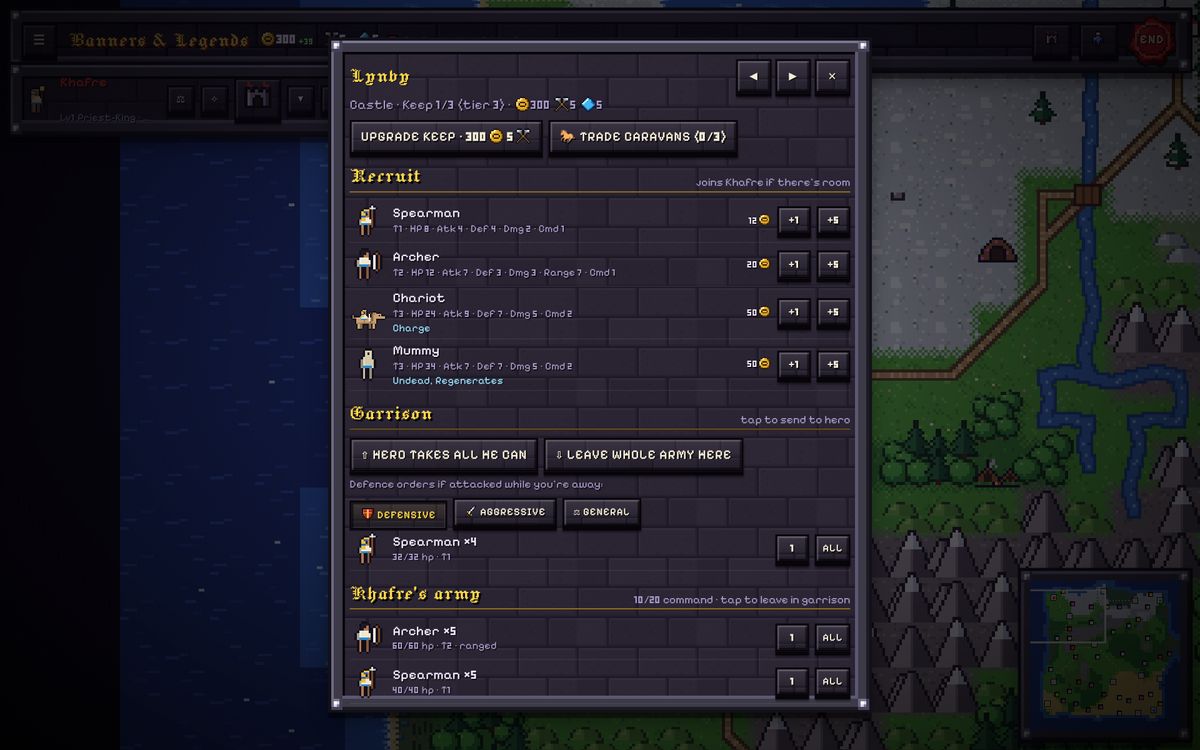
Tap one of your towns or castles to open it. This is where you recruit troops and upgrade it. Castles can raise their keep to recruit stronger units. From here you can also choose what your hero takes with them and what stays behind as a garrison. The 🏰 button jumps between your towns and castles.
4. Your kingdom at a glance
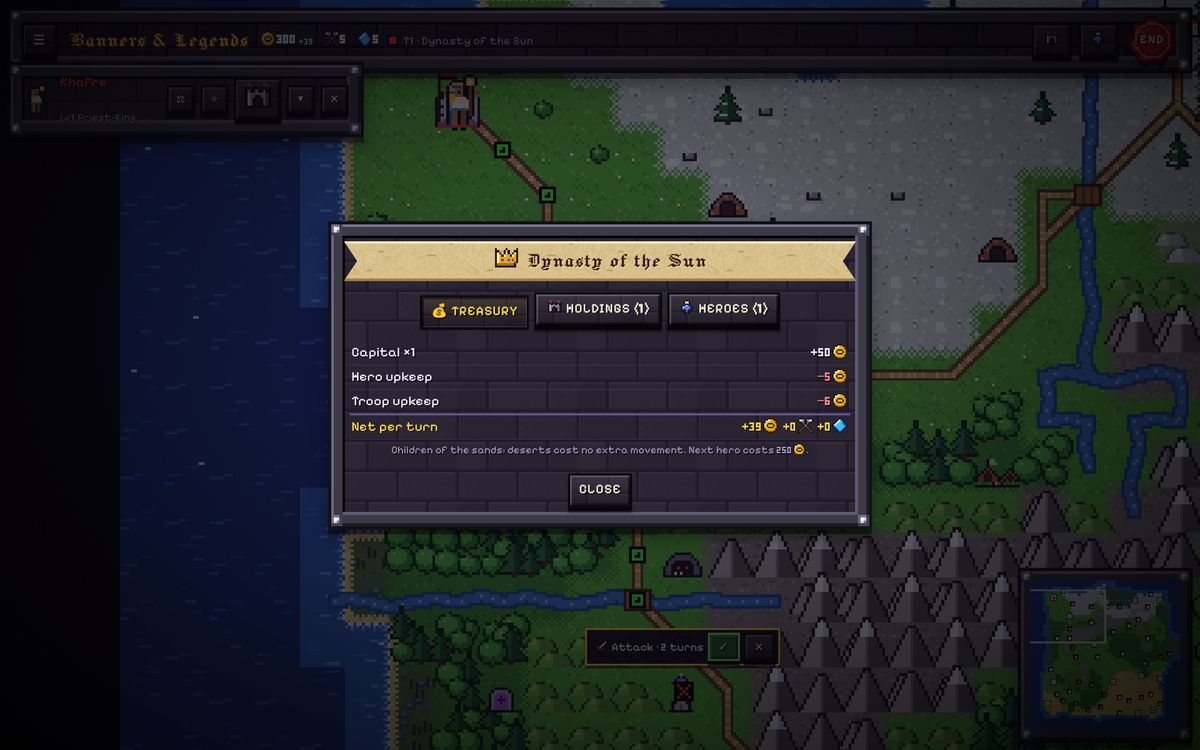
Tap your gold counter at the top of the screen to see your whole kingdom: your income and costs, your holdings and your heroes.
5. Out on the map
- Mines give gold, iron and crystal.
- Temples heal.
- Mage towers teach your heroes spells.
- Shrines, caves, tombs and ruins hold treasure, and danger.
Bandit camps and monster lairs send raiders onto the roads, so don't leave your mines and towns completely empty.
6. Ending your turn
When you're done, press the red wax seal (End) in the top corner. At the start of your next turn, a report tells you everything that happened while you were away.
Stuck?
Open the menu (☰) and choose 📖 The Chronicle: lore & how to play. It has the full rules, all in one place. The game also saves as you go, so ▶ Continue on the menu picks up where you left off.
Next: Your First Battle.
Your First Battle ⚔
The second of three short guides for new players. Battles in Banners & Legends fight themselves, soldier by soldier. You're the general, not the puppet master.
1. Give your orders
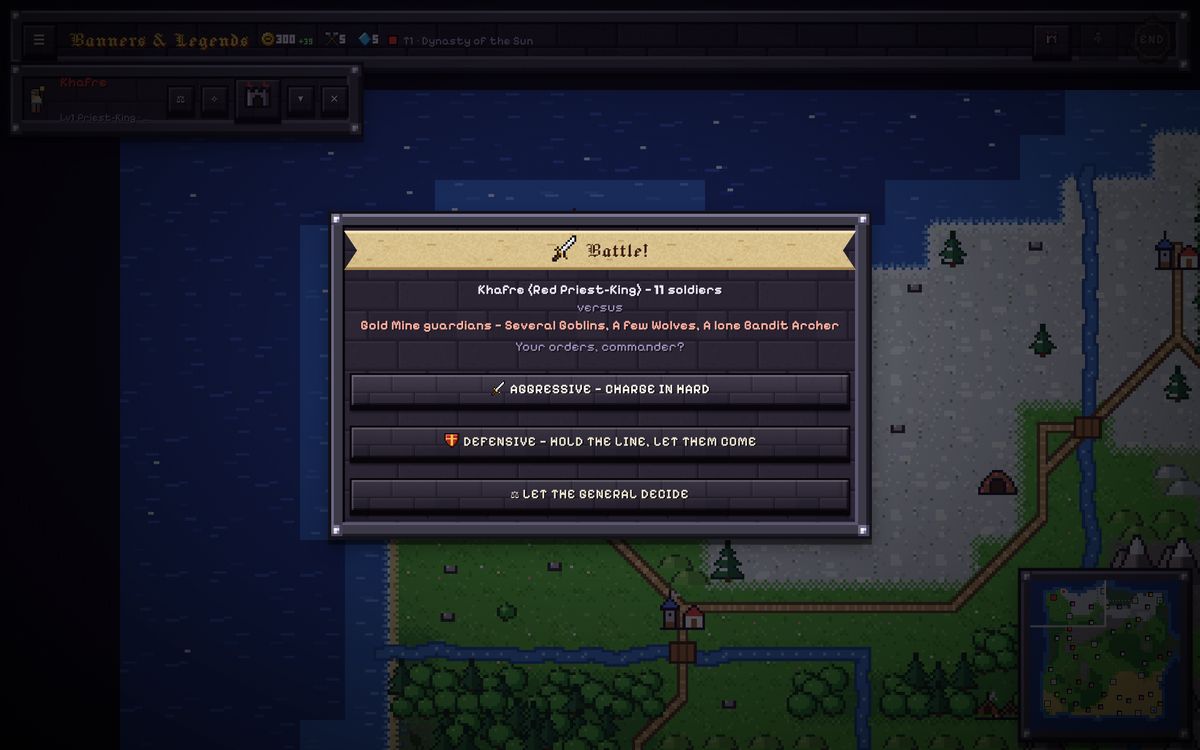
When you march into an enemy, the game asks for your orders before the fight:
- ⚔ Aggressive: charge in hard
- 🛡 Defensive: hold the line and let them come
- ⚖ Let the general decide
The same screen shows who's joining the fight. Any of your armies within 4 tiles come in as reinforcements, and so do the enemy's, so have a look around before you attack.
Your heroes and towns also keep a standing order (Aggressive, Defensive or General) for when someone attacks them on another player's turn.
2. Watch it play out
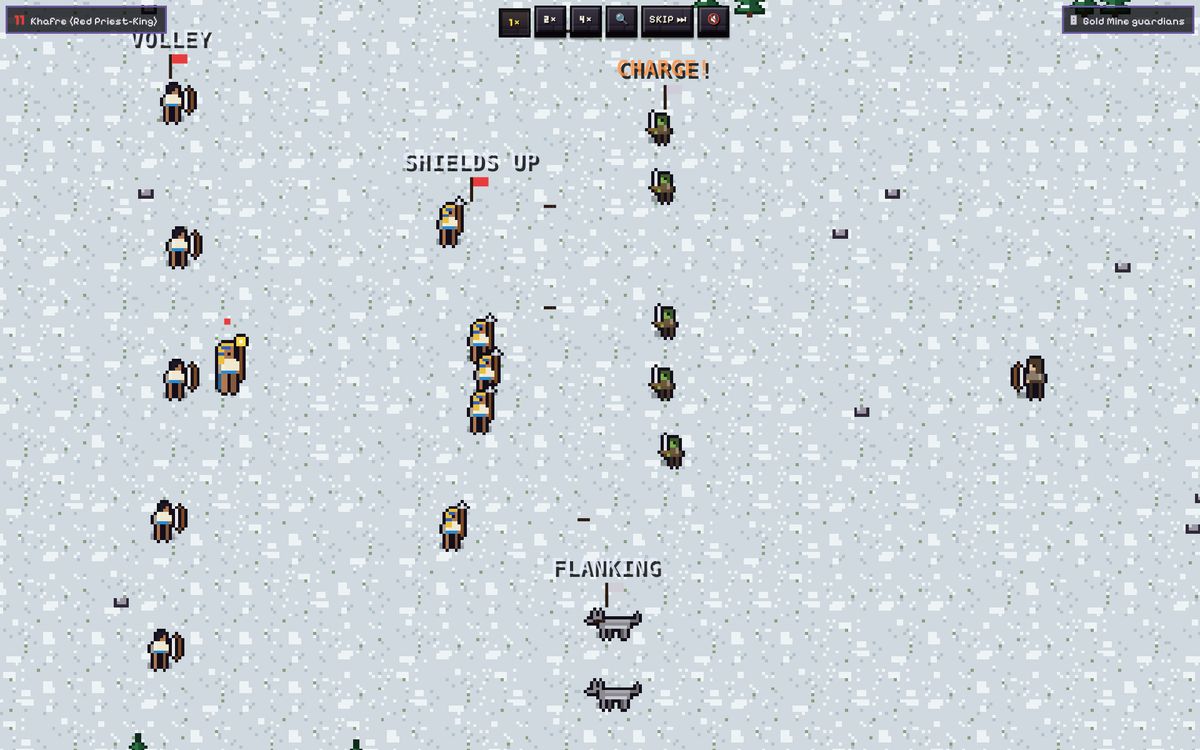
Troops form shield walls, loose volleys, charge, flank, and sometimes break and run. Lucky shots and last stands can turn a fight, and veterans who survive can earn names.
Use the buttons at the top to watch at 1×, 2× or 4× speed, or Skip straight to the end. If you'd rather never watch, switch off Watch battles in the menu options.
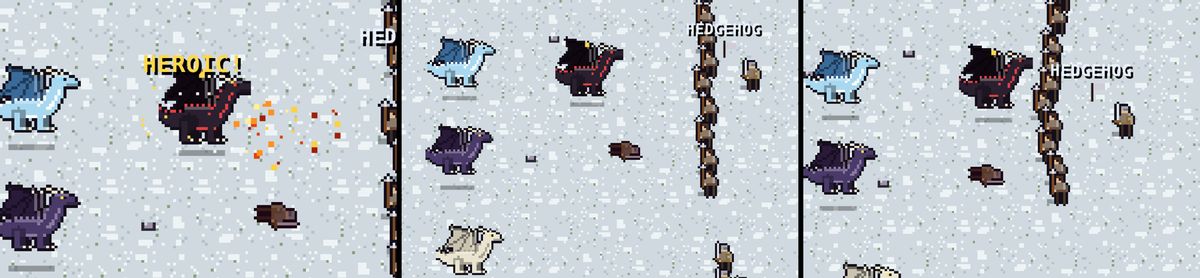
Keep an eye out for dragons. They breathe fire, ice, dreaming mist, ghost-fire and poison.
3. The result
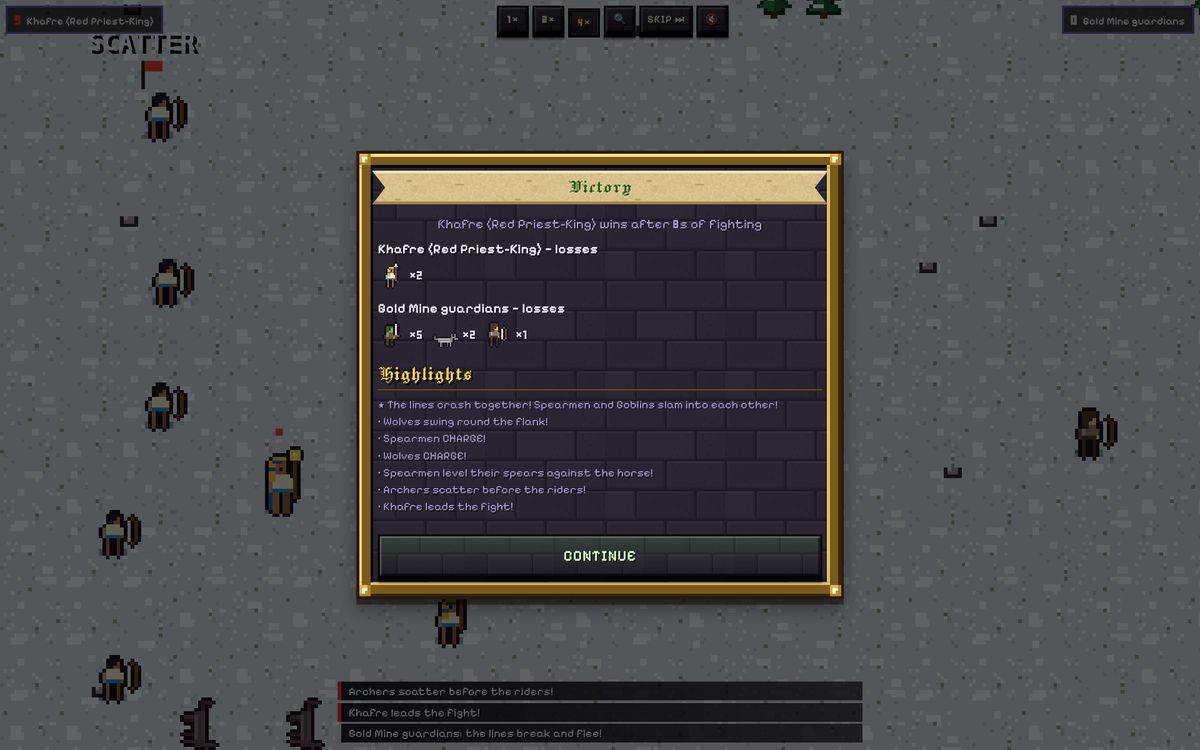
Afterwards you get the losses on both sides and the highlights of the fight. The battle report tells you who fought best, any magic weapons that changed hands, and the spoils.
Good to know
- Beat a hero who's defending a castle and you storm the castle the same turn.
- Wounded troops heal at temples.
- Mage towers teach your heroes spells. Magic comes in schools (Fire, Ice, Holy, Dark, Necromancy, Chaos and Hedge), and Spell Ward shields your troops from enemy magic.
The Modes and How to Unlock Them 👑
The last of three short guides for new players. Banners & Legends starts with Conquest, and new ways to play unlock as you go.
What unlocks what
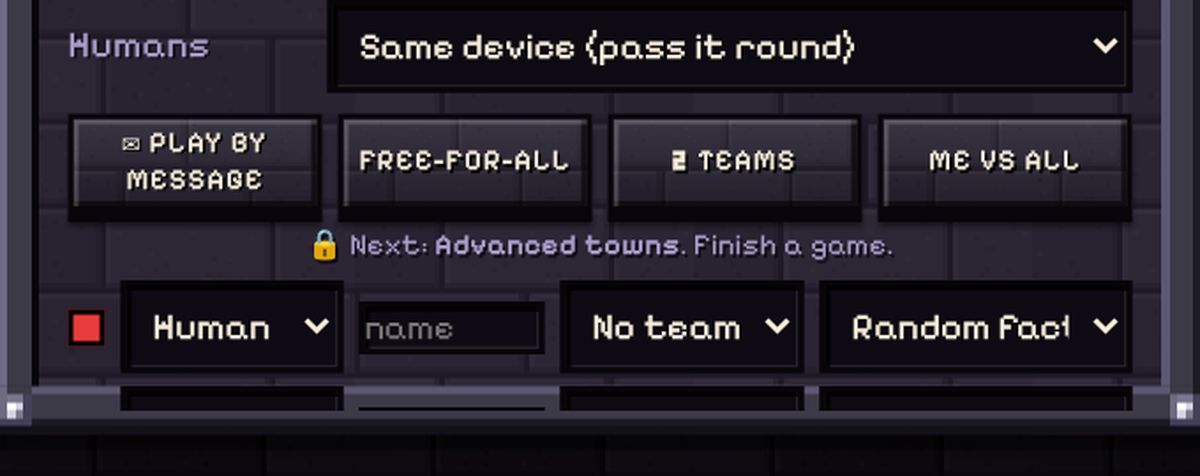
The main menu always shows your next unlock and how to get it, just under the setup options.
- 🏆 Finish a game: Advanced towns (walls, guilds, banks, wonders) and Hard AI
- 🏆 Win a game: Dustborn peoples and forged magic schools
- 👑 Win a game of Conquest: Rebel Lords, where neutral towns march out and crown new kingdoms
- ⚔ Win on Hard: Kings & Sellswords (taverns, smiths, quest boards and free companies for hire) and Master AI
- 🗡 Beat the AI 1v1, 2v2 and 3v3: Rogue Company. No castle, no crown, just a captain and a hired company.
- 🍺 Become a lord in Rogue Company, or score 500 in a run: The Last Tankard. Run a tavern while the realms go to war.
- 🐎 Make yours the Finest Inn in the Land: Road to Ruin. One creaky wagon and a land at war.
- 🏰 Become a Merchant Prince, or win on Master AI: Last Bastion. Hold your castle against twenty waves.
- 👑 Hold the Last Bastion for 20 waves: The Usurper. An exiled noble with one loyal knight.
- ⚔ Become a Legend in Rogue Company, or win as the Usurper: Champion of the Arena. One gladiator's career.
- 🐉 Become Champion of the Realm: Dragon's Hoard. You ARE the dragon.
Every world is different
Each seed makes a new map. Once you've unlocked them, the Dustborn peoples are rolled fresh too: there are millions of them, from ratfolk warrens to slug-kings. Find one you love and keep it with ⭐ Keep my faction in the game menu.
Playing with friends
✉ Play by Message lets friends play on their own phones or computers. When your turn ends, the game offers to send it. Share it as a file, or copy the code into any message: WhatsApp, Messenger, Discord, a text or an email. Your friend taps 📥 Load a turn, watches what you did, takes their turn and sends it on.
Or play on one device and pass it round.
Want the full rules?
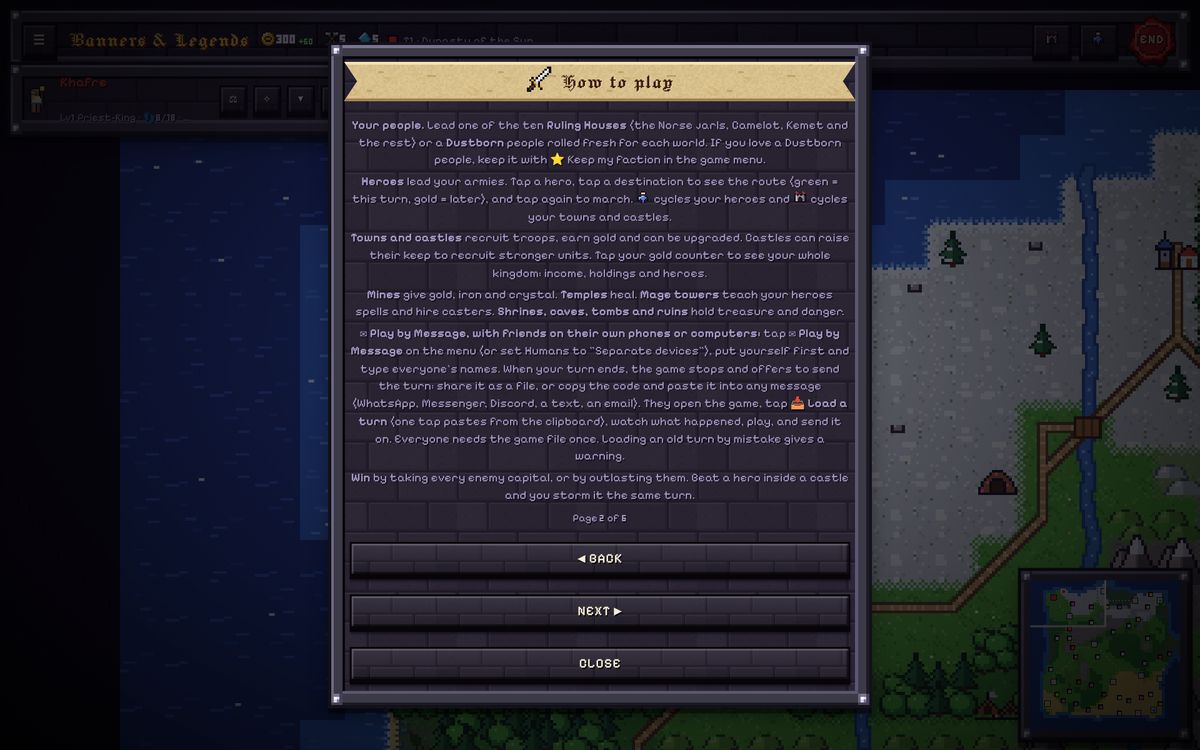
📖 The Chronicle in the menu has the lore of the Sundered Realm and the full how-to-play.
Ready to raise your banner?
The free demo runs in your browser on PC, Mac, Android and iPhone. The full game is on itch.io for Windows and Linux, and on Google Play for Android.